
Best Alarm Clocks For Elderly – 2026 Reviews

Somewhere around the time reading glasses become permanent, the alarm clock on the nightstand quietly stops doing its job. The digits are too thin to read without leaning in, the date is anyone’s guess, and the alarm is either a whisper that gets slept through or a klaxon that wakes the entire house. It’s a small piece of furniture with an outsized effect on how the morning goes.
Two things separate a clock that genuinely works for an older adult from one that just happens to be plugged in. The first is legibility: digit height, contrast, and how the display behaves at two in the morning, when every lumen feels like a headlight. The second is control. Alarm volume and tone you can actually nudge, buttons that make sense without the manual, and settings that survive a power blip.
This guide covers alarm clocks across the market, from dedicated day-and-date clocks built for memory loss to plain big-digit bedroom alarms, so you can match a clock to a specific person rather than a vague idea of what senior-friendly means.
Best Alarm Clocks for Elderly – 2026 Reviews
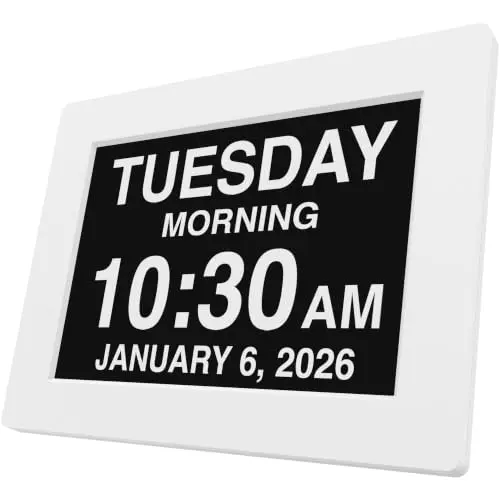
DC-01 – Full Day, Date, and Time in Plain Words
An 8-inch desk or wall clock that spells out the full day, month, date, and period of the day in plain words, built for older adults juggling routines, appointments, and memory changes.
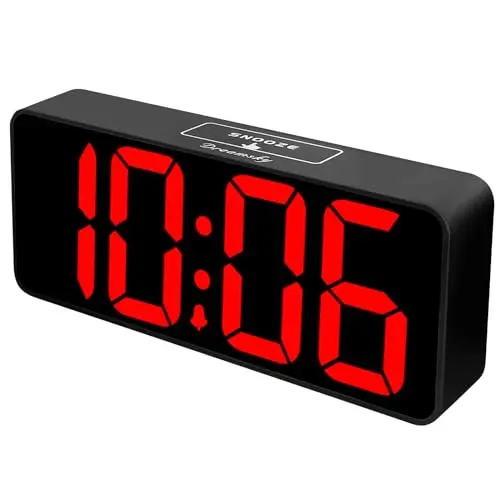
ST-28 – Jumbo Red Digits for Low Vision
A nine-inch bedside clock built around three-inch illuminated red digits, with a full-range brightness dimmer and an alarm you can dial from gentle to insistent.
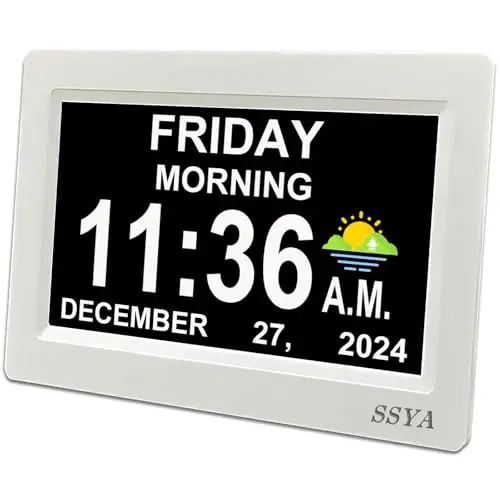
Z071 – Non-Abbreviated Day and Date Display
A seven-inch HD calendar clock that spells out the day, date, and which part of the day it is, with twelve alarm modes and a wall-mount option.
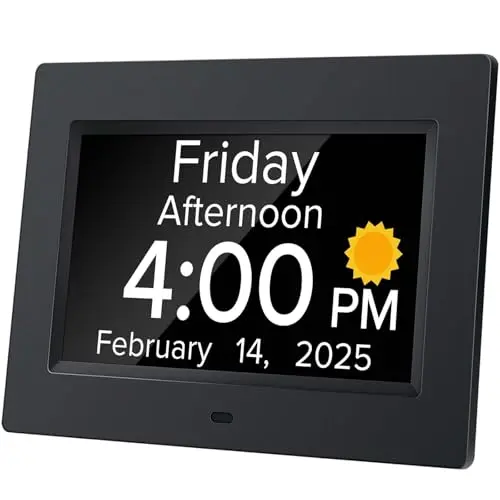
DC07 – Speaks the Time on Demand
A seven-inch day-and-date clock that will speak the time out loud at the press of a button – a practical fallback for someone whose vision has dropped below reading a screen.
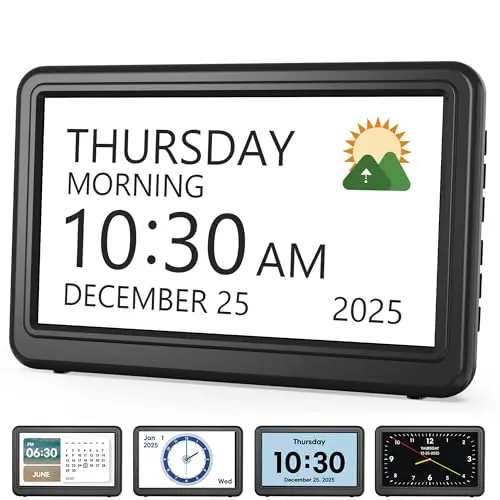
CR1029 – Medication Reminders and Photo Playback
A feature-dense seven-inch calendar clock with twenty alarms, twenty custom reminders, twelve display themes, and photo playback from a USB drive.
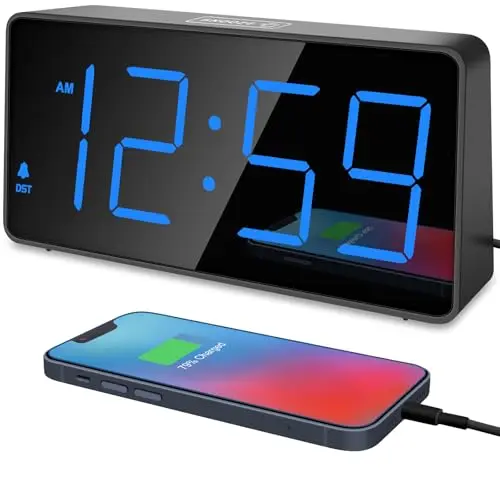
MHP6010 – Budget Big Digits With USB Charging
A compact bedside alarm with two-inch LED digits, five volume settings, five brightness levels, and a USB port for charging a phone overnight.
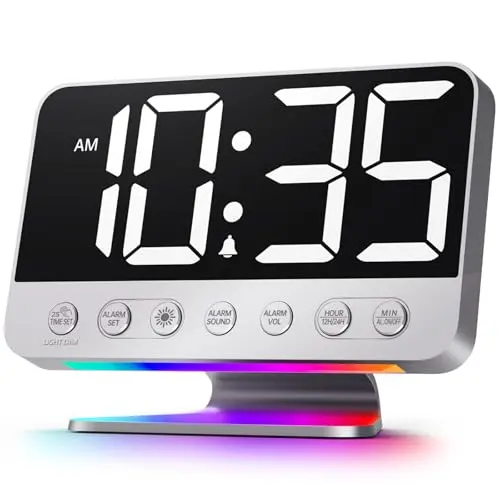
U2 – Night Light and Loud 110 dB Alarm
A plug-in bedside clock with two-inch bold digits, an alarm that reaches 110 dB, and an eight-color night light for the trip to the bathroom.
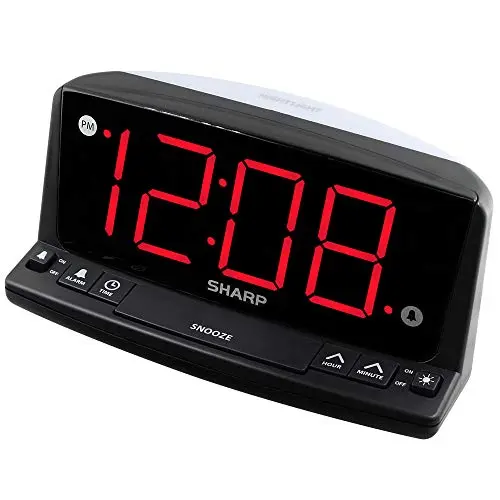
Red LED Alarm Clock – Loud Alarm With Night Light
A simple red-LED alarm clock with oversized digits, every control on the front panel, a built-in night light, and a beep loud enough for heavy sleepers.

Keyboard-Control Clock – Simple Red LED Standby
A compact red-LED clock with front keyboard controls, a large snooze button, and battery backup – a straightforward second clock for a guest room or kitchen.
How We Evaluated These Alarm Clocks for Elderly Buyers
A clock is one of the few devices an older adult looks at dozens of times a day, so the failure modes matter more than the feature list. We didn’t run these clocks through months of bedside use or measure display luminance with instruments. What we did: cross-referenced 9 alarm clocks from 8 distinct brands across five decision axes – digit size and contrast, alarm volume and tone control, ease of setup and daily operation, night-time brightness behavior, and how clearly each clock conveys day and date. We weighed published specifications, audited feature sets against how older adults actually interact with a clock, and mapped owner feedback where available to the complaints that recur in this category: confusing abbreviations, alarms that are either too quiet or jarring, and displays that light up a bedroom like a runway.
The scoring framework weighted real-world fit (70%) – how well a clock serves someone with reduced vision, reduced dexterity, or memory loss – against feature differentiation (30%), the things that separate one model from the next, like voice announcement or labeled medication reminders. We have no commercial relationship with any brand here; recommendations track fit and differentiation, not brand preference. For most households the American Lifetime DC-01 is the safest starting point, and if the person you’re buying for can still see large numbers but needs volume and brightness to bend to their preferences, the DreamSky ST-28 covers that ground at a lower tier.
How to Choose the Right Alarm Clock for Elderly Buyers
1. What Separates an Alarm Clock for Elderly Buyers From a Standard Bedside Clock
Most alarm clocks are designed for someone who can read small digits from two feet away and never thinks twice about which day it is. An alarm clock for elderly users has to clear a higher bar, and the differences that matter are unglamorous: digit height and contrast, an alarm that can be tuned rather than fixed, a display that doesn’t flood a dark bedroom, and controls that don’t require a manual or a grandchild.
The category splits roughly in two. On one side are big-digit bedside alarms, where the entire job is a legible time and a reliable wake-up. On the other are day-and-date calendar clocks, which add the full weekday, month, and date, often with time-of-day labels. Which one you want depends on whether the problem is seeing the numbers or orienting to the day.
2. Display Legibility: Digit Height, Contrast, and Night Dimming
Digit height is the most useful spec to compare. The compact clocks here run around 1.8 inches, the big-number models go to 2 inches and up, and the jumbo LED models reach 3 inches. As a rough rule, 2 inches reads across a bedroom, 3 inches reads from a doorway, and anything under 1.5 inches is asking someone to lean in.
Dimming matters as much as size. A clock that’s readable at noon but scorches the ceiling at midnight will get unplugged, and the person who unplugs it will go back to guessing at the time. Look for continuous dimming or multiple steps plus an off setting. Red digits are gentler on night-adjusted eyes than white or blue. If readability at distance is the priority, the DreamSky ST-28 pairs the largest digits here with a full-range dimmer.
3. Alarm Volume and Tone: Matching the Sound to the Sleeper
Fixed-volume alarms are the most common regret in this category. Someone with hearing loss needs a loud alarm; a light sleeper in the next room needs the opposite, and a single factory setting rarely lands in between.
Adjustable volume solves it, and the better models here offer five or more volume steps spanning roughly 30 to 110 dB – a whisper at the low end and a genuine klaxon at the top. Tone matters too: a harsh beep cuts through deep sleep, while ramping sounds and gentle chimes are kinder for anyone who startles easily. Check the snooze as well. Nine minutes is the standard interval, and a large front-mounted snooze button is far easier to find half-asleep than a recessed one tucked around the back.
4. Day and Date Clues for Memory Loss and Time-of-Day Confusion
For someone with mild cognitive impairment, the date is often harder than the time. A clock that says 7:15 tells you nothing about whether it’s Tuesday or whether the appointment is today.
Day-and-date calendar clocks spell out the weekday, month, and date in full words – no TUE, no abbreviations that need decoding. The best of them go further and label the part of the day in plain language: morning, afternoon, evening, night. Some pair that label with sun and moon icons, which helps when reading has become effortful. If word-based orientation is the goal, the SSYA Z071 handles the full day-and-date-plus-period display well.
5. Controls, Setup, and What Battery Backup Actually Does
Front-mounted buttons beat anything that requires reaching around the back of the clock, and a printed guide in readable type is a real feature at this age. A shallow menu structure matters more than a long feature list. A clock with twelve settings nobody can find is worse than a clock with three that work.
On backup, read the fine print. On most models here the battery backup preserves time and alarm settings through an outage, and on some the alarm still fires even though the display goes dark. On others, a power cut means a blank screen until the power returns. If the person using the clock won’t reset it themselves, a model that restores itself automatically when power comes back is worth prioritizing.
6. How Much to Spend on an Alarm Clock for the Elderly
Pricing in this category sorts into three rough tiers. Entry-level big-digit alarms cover the fundamentals: large numbers, adjustable brightness, a loud alarm, battery backup. That’s genuinely enough for many households, and the Peakeep MHP6010 is the pick there.
Mid-range models add wider dimming ranges, more volume steps, USB charging, or a night light for a modest step up. Premium calendar clocks cost more because they add the full day-and-date display, multiple labeled alarms, and often multi-language support. Spend at the premium end only if disorientation to day or date is actually the problem. Otherwise the money is better spent on a simpler clock with genuinely better dimming.
Frequently Asked Questions
1. What's the difference between the American Lifetime DC-01 and the SSYA Z071?
Both are day-and-date calendar clocks with non-abbreviated displays, but they solve slightly different problems. The American Lifetime DC-01 has the larger screen, a tighter five-alarm setup, wide language support, and packaging that avoids clinical language – which matters a lot if the clock is a gift. The SSYA Z071 leans harder on scheduling, with twelve alarm modes that split weekdays from weekends and can be labeled by purpose, plus a wall-mount option. Want simple? Take the DC-01. Want to schedule a week of labeled reminders? Take the Z071.
2. Is a dementia-style clock overkill for someone with mild memory lapses?
Often yes, and it’s worth being honest about that. A full day-and-date calendar clock earns its price when someone regularly loses track of the weekday or misjudges morning versus evening. For occasional forgetfulness, a big-digit alarm clock with adjustable brightness and volume covers the practical needs and looks less clinical on a nightstand. If you do go the calendar route, the non-abbreviated display is the feature to prioritize – a clock showing TUE in small type hasn’t solved anything for a person who struggles to read small type.
3. How do the DreamSky ST-28 and Mitoart DC07 compare for low vision?
They approach the same problem from opposite directions. The DreamSky ST-28 bets everything on digit size – three-inch illuminated numbers readable from across a room, backed by a full-range dimmer and an adjustable alarm. The Mitoart DC07 bets on voice announcement: press a button and it reads the time aloud in one of nine languages, which helps when reading a screen has stopped being dependable. Pick the DreamSky if large numbers still work. Pick the Mitoart if they don’t.
4. Do these clocks keep time and alarms during a power outage?
Mostly, with a caveat worth understanding before you buy. Nearly every model here has a battery backup, but on most of them it only preserves settings – the display goes dark and, on some, the alarm won’t sound until power returns. Models that restore the correct time automatically when power comes back save the hassle of resetting everything. If the person using the clock can’t reliably reset it, check this detail specifically. It’s the difference between a minor inconvenience and a missed medication alarm.
5. Are big-button alarm clocks actually easier for elderly users to set up?
The buttons themselves matter less than where they are and how many steps sit between you and the setting you want. Front-mounted controls in a keyboard layout beat anything recessed around the back, and a shallow menu beats a long feature list every time. Physical switches – an alarm on/off toggle, a brightness wheel – are easier to reason about than multi-press sequences. If someone will be walking a relative through setup over the phone, fewer features is genuinely the better buy.
Final Verdict
For most families, the American Lifetime DC-01 is the answer – it removes every ambiguity about the day, the date, and the time of day, and it does it with a screen you can read from across the room. If the person you’re buying for can still see large numbers but needs brightness and volume to bend to them, the DreamSky ST-28 delivers the biggest digits in the lineup for considerably less. Budget still matters, and the Peakeep MHP6010 covers big numbers and a genuinely loud alarm at the entry level. And if reading a display has stopped being dependable, the Mitoart DC07 speaks the time out loud, which quietly solves the whole problem.
